Keyway icon

Control your Mac entirely from the keyboard

Keyway labels everything clickable on screen — type the label, it clicks. Then scroll, drag, search, and move windows without ever touching the mouse. Free, open source, and fully on-device.

macOS 13+ · Apple Silicon · AGPL-3.0
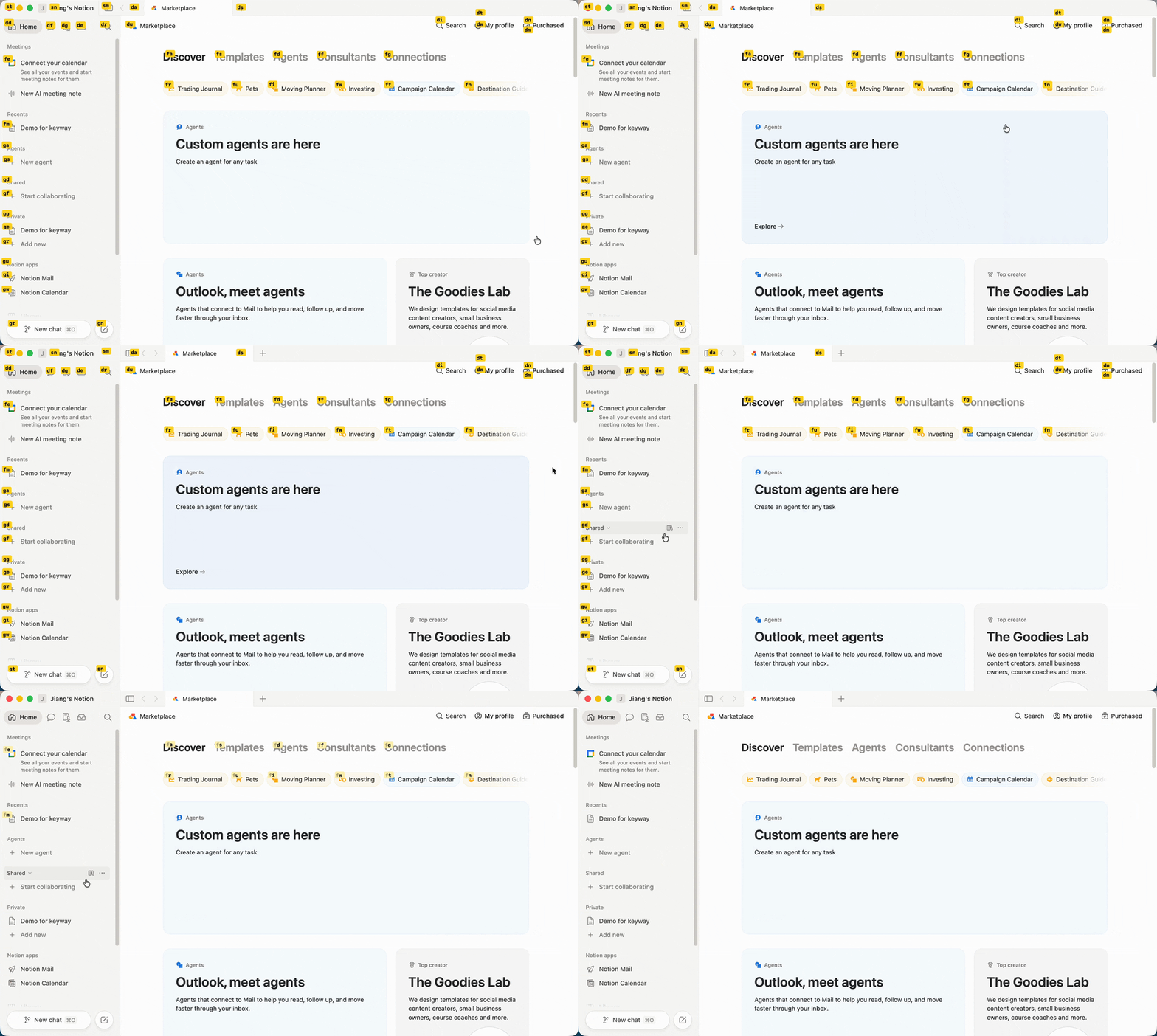
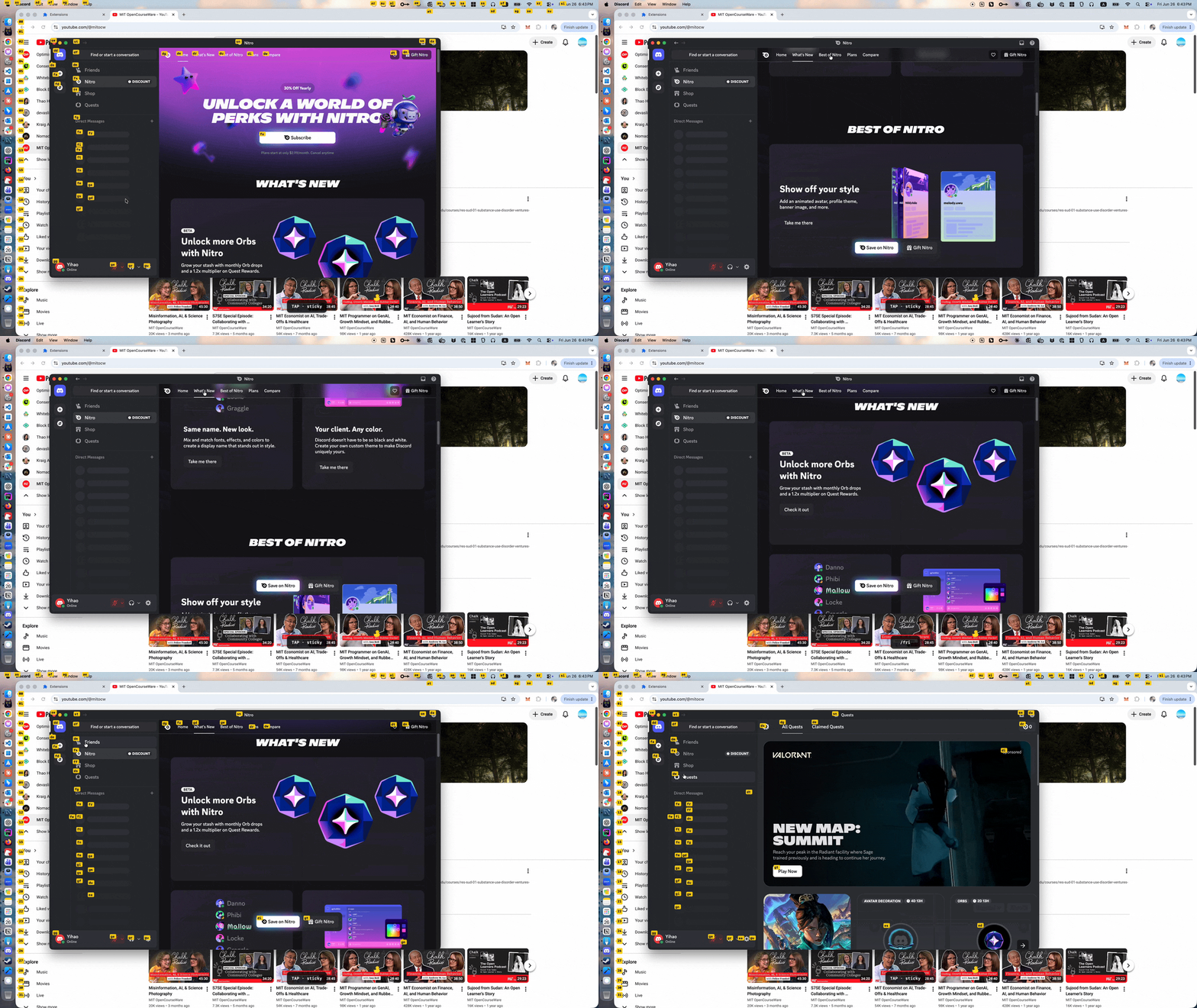
Keyway in action — letter labels across the whole screen, including an Electron app, the Dock, and the menu bar

Press Caps Lock → labels appear on everything clickable → type one → it clicks.

Why Keyway

Works where other tools go blind

Electron apps and web views (Slack, VS Code, Discord) expose almost nothing to the macOS accessibility API. Keyway falls back to an on-device vision model to find targets from pixels — plus a browser extension that reads the DOM directly.

It drives the real cursor

Not limited to clicking what it can label: warp the pointer onto any target, nudge it with hjkl, double-tap a direction to jump across screens, then left / right / double-click.

Built around modes, not one trick

Hint-click, scroll, drag-and-drop, window move & resize, and text search — all sharing the same hjkl muscle memory. Adding a capability means adding a mode.

Local and open source

Runs entirely on your machine. No telemetry, no accounts. A free, AGPL-3.0 alternative to Homerow, with Vimium-style navigation across the whole desktop.
See it in action

Driving the real cursor from the keyboard

Drive the real cursor: warp onto a target, nudge with hjkl, then click.

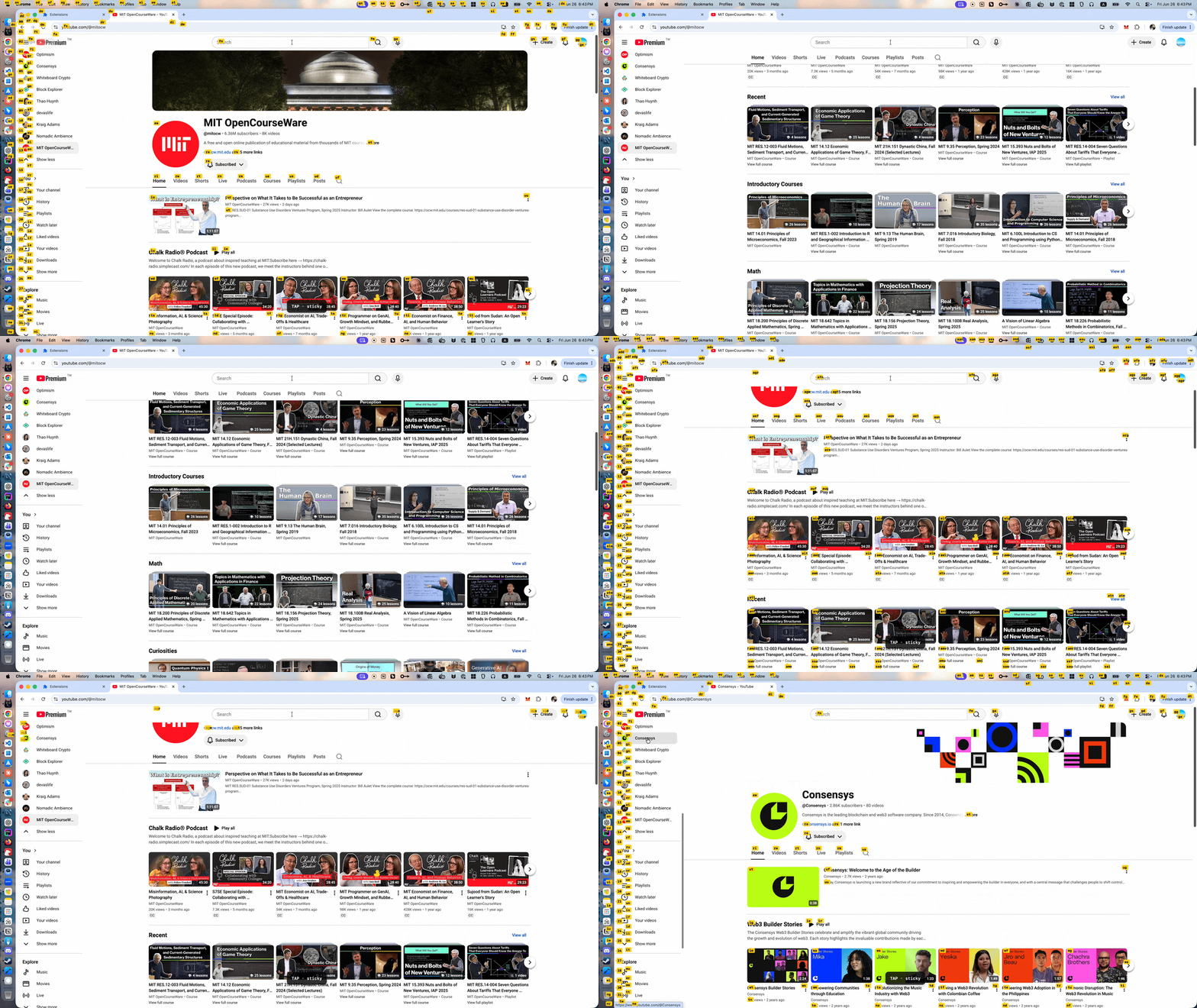
Precise DOM-based hints on a web page via the browser extension

Precise, DOM-based hints on real web pages — with sticky mode that re-hints as the page changes.

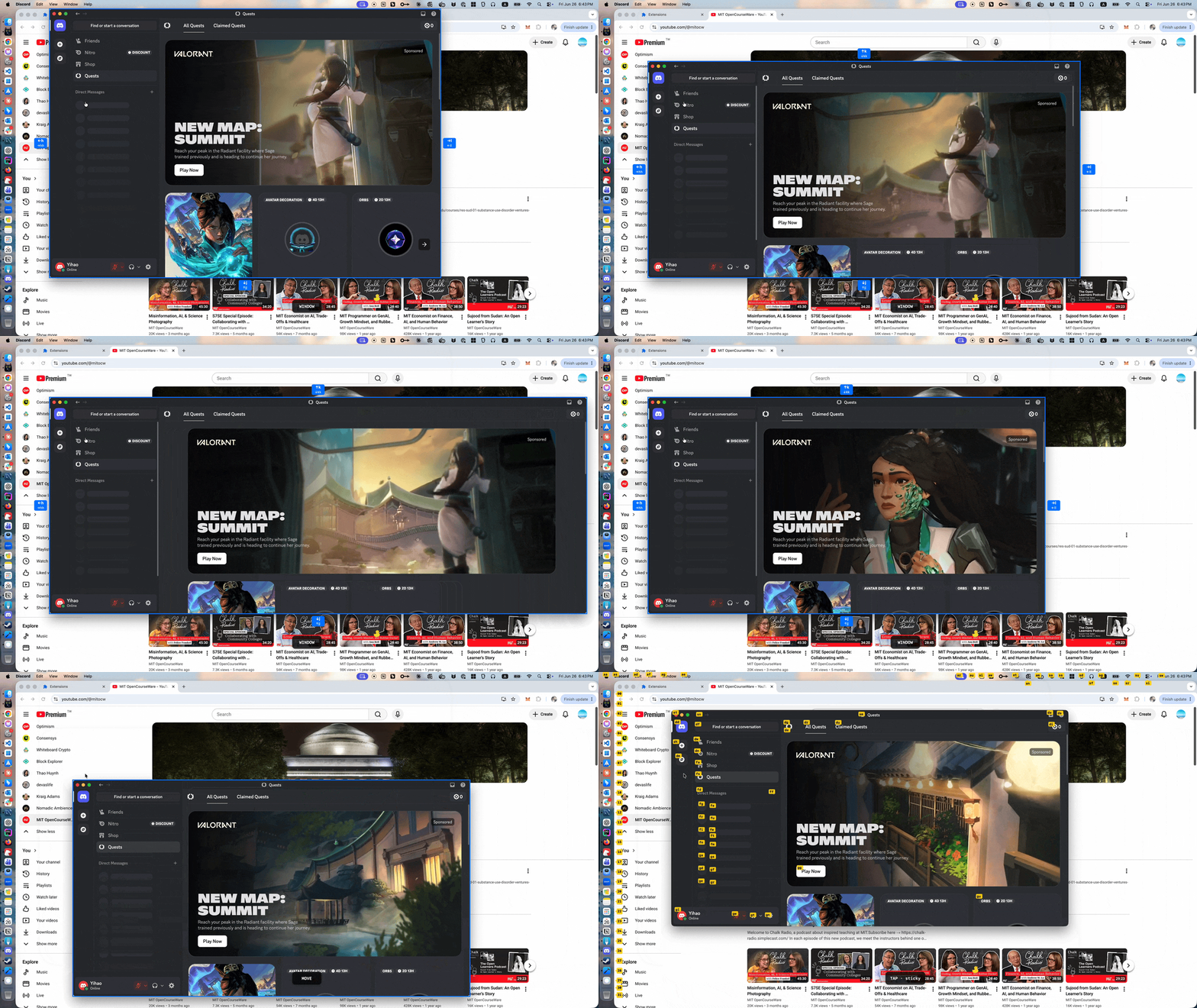
Moving and resizing a window from the keyboard

Move and resize windows from the keyboard — no mouse drag needed.